Last updated: May 31, 2026
Slice-of-life comics with your own characters — without drawing
8 min read
TL;DR
Slycee Studio is a web comic tool for slice-of-life stories: you write monologue or dialogue, assign custom characters from a persistent bank, refine each panel on a storyboard, then generate art. Unlike ChatGPT or Gemini alone, it keeps characters and style consistent across panels and supports 18 languages.
What is Slycee Studio?
Slycee Studio is a web-based comic creation platform that converts written stories — monologue, dialogue, or mixed narration — into multi-panel slice-of-life comics. You do not need to draw. You write text, optionally attach characters from a bank, review an AI storyboard, edit scenes and lines panel by panel, then generate images one panel at a time.
The product is built for people who communicate for work: marketers explaining a feature, lawyers walking through a scenario, HR teams onboarding staff, founders telling a customer story. The output reads like a short comic strip, not a manga battle scene or a photorealistic poster.
Why does slice-of-life style work for brands and everyday stories?
Slice-of-life comics work because they mirror how people actually talk: one person thinking out loud, two people in a kitchen, a colleague explaining something at a desk. That tone is easier to write than a formal script — and easier for readers to trust than stock illustration or generic AI art.
Most business stories are not epic fantasy. They are someone realizing a problem, asking a question, trying a tool, and reacting. Slycee Studio leans into that format. You can paste internal notes, a support reply, or a training anecdote and turn it into panels without rewriting it as screenplay format.
How do custom characters stay consistent across panels?
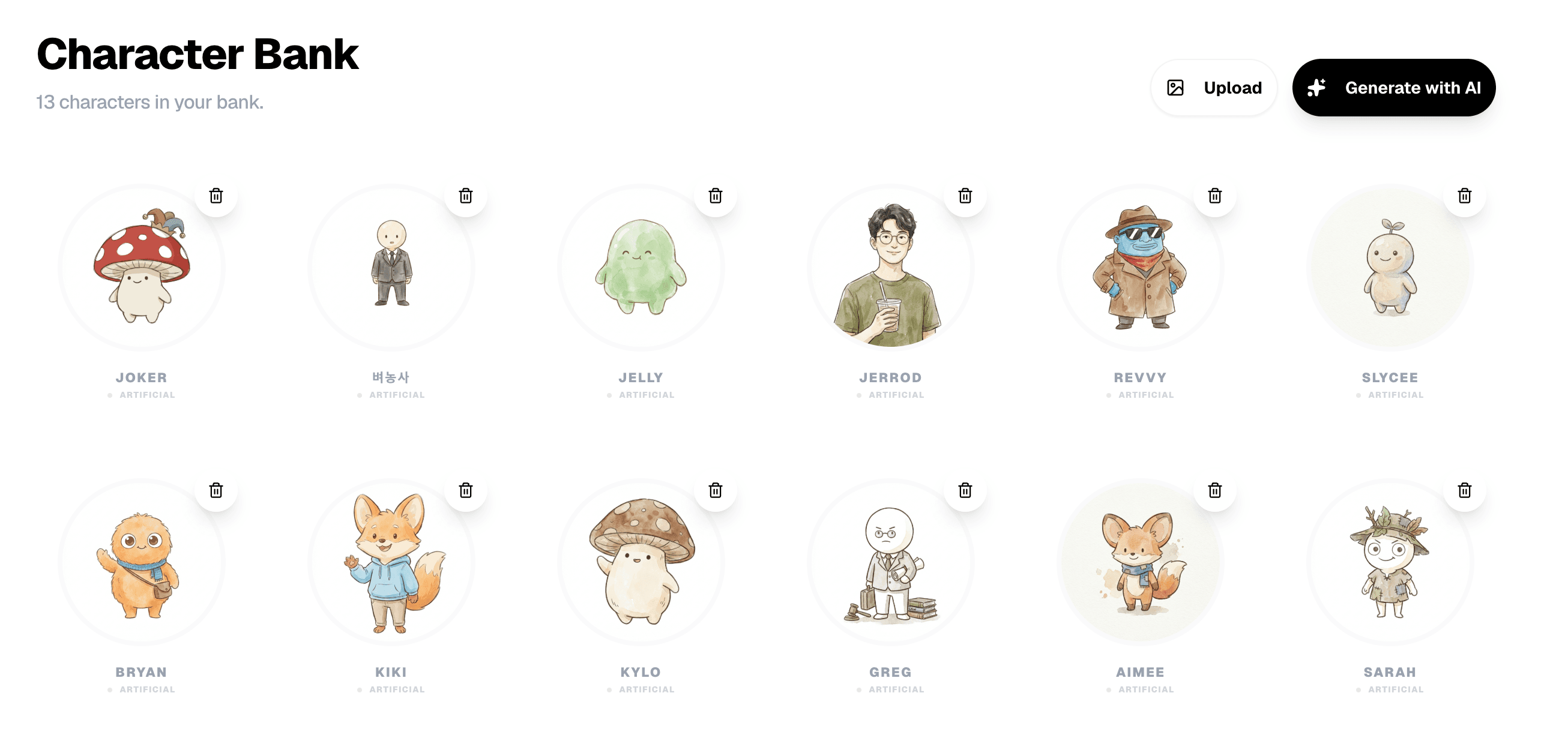
Slycee Studio stores characters in a Character Bank — upload a photo or generate one with AI, name them, and reuse them across comics. When you select up to four characters for a story, the system passes reference images into panel generation and redraws them to match your chosen art style (Sketch, Pixel, Claymation, or a custom style).
Mention a character by name in your story text and the analyzer tries to place them in the right panels. That is a different workflow from opening ChatGPT and asking for "panel 3 of 8 with the same woman as before" — there is no persistent visual memory in a chat thread.
Can I edit dialogue, monologue, and scenes after the AI analyzes my story?
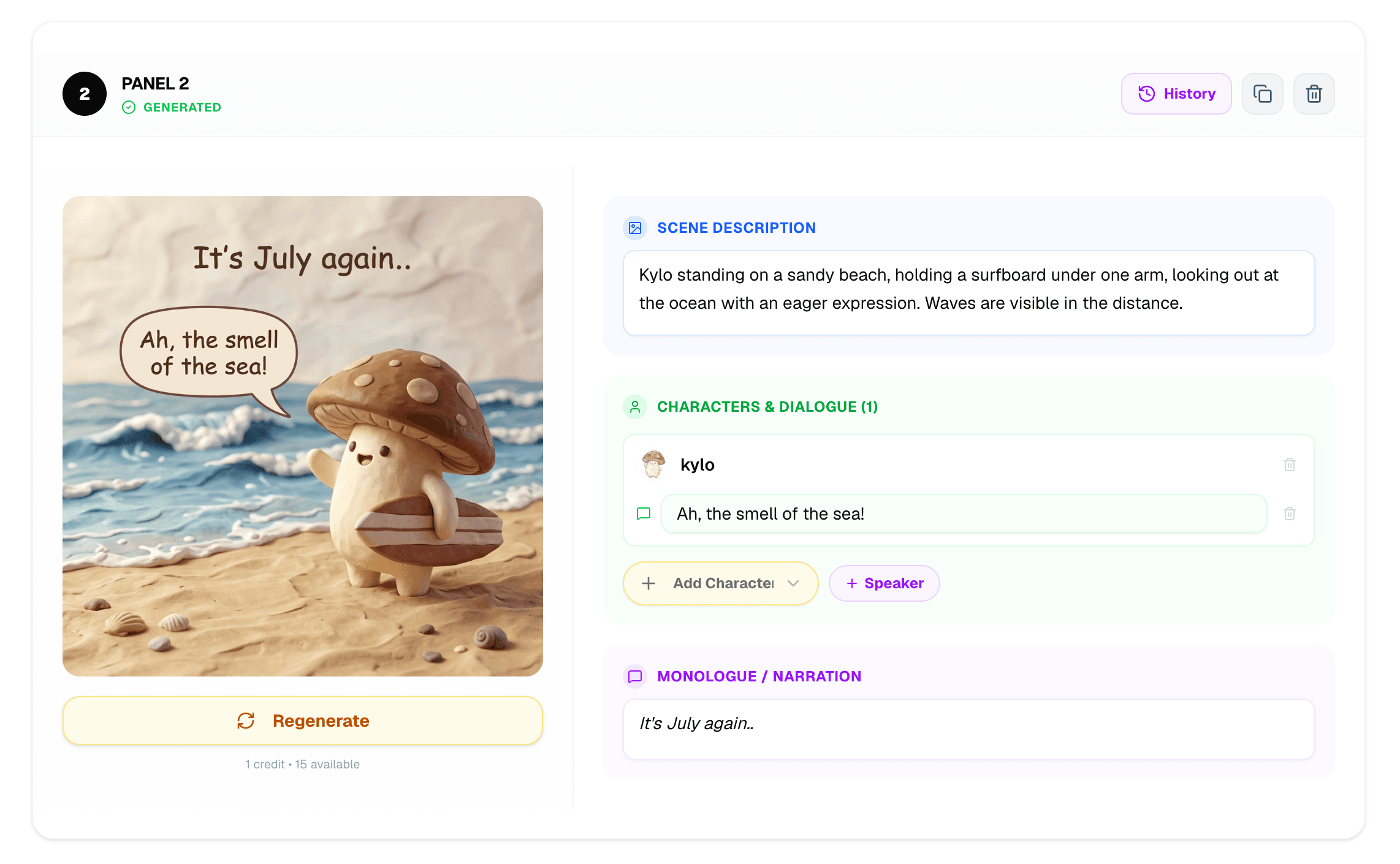
Yes. After analysis, Slycee Studio opens a storyboard where each panel has its own scene description, dialogue, and monologue fields. You can rewrite lines, split beats, or fix a misread name before spending credits on images. In the editor, you can regenerate a single panel without redoing the whole comic.
How is Slycee Studio different from using ChatGPT or Gemini directly?
ChatGPT and Gemini are strong at text and one-off images, but they do not ship a comic workflow: no character bank, no panel storyboard, no per-panel regeneration tied to the same story ID, and no guaranteed art-style lock across 1–15 panels. Slycee Studio wraps Gemini 2.5 Flash in a structured pipeline built for sequential comics.
| Capability | Slycee Studio | ChatGPT / Gemini chat | Generic AI image apps |
|---|---|---|---|
| Persistent custom characters | Character Bank with style blending | No cross-session visual memory | Usually one image at a time |
| Panel-by-panel storyboard | Edit scene, dialogue, monologue per panel | Text-only or ad-hoc prompts | No structured comic flow |
| Slice-of-life art direction | Sketch, Pixel, Claymation + custom styles | Depends on your prompt each time | Style often drifts panel to panel |
| Languages | 18 UI locales + 18 comic languages | Prompt-dependent | Mostly English |
| Cost model | 1 credit = 1 panel (credits never expire) | Subscription / token-based | Varies |
What languages does Slycee Studio support?
Slycee Studio supports 18 interface languages and 18 comic-generation languages, including English, Korean, Spanish, Turkish, French, Portuguese, Japanese, German, Italian, Dutch, Russian, Polish, Arabic, Hindi, Chinese, Thai, Vietnamese, and Indonesian. The UI and the language your characters speak in the comic can be configured separately on the create page.
- English, 한국어 (Korean), Español (Spanish), Türkçe (Turkish)
- Français (French), Português (Portuguese), 日本語 (Japanese), Deutsch (German)
- Italiano (Italian), Nederlands (Dutch), Русский (Russian), Polski (Polish)
- العربية (Arabic), हिन्दी (Hindi), 中文 (Chinese), ไทย (Thai)
- Tiếng Việt (Vietnamese), Bahasa Indonesia (Indonesian)
How does the comic creation process work?
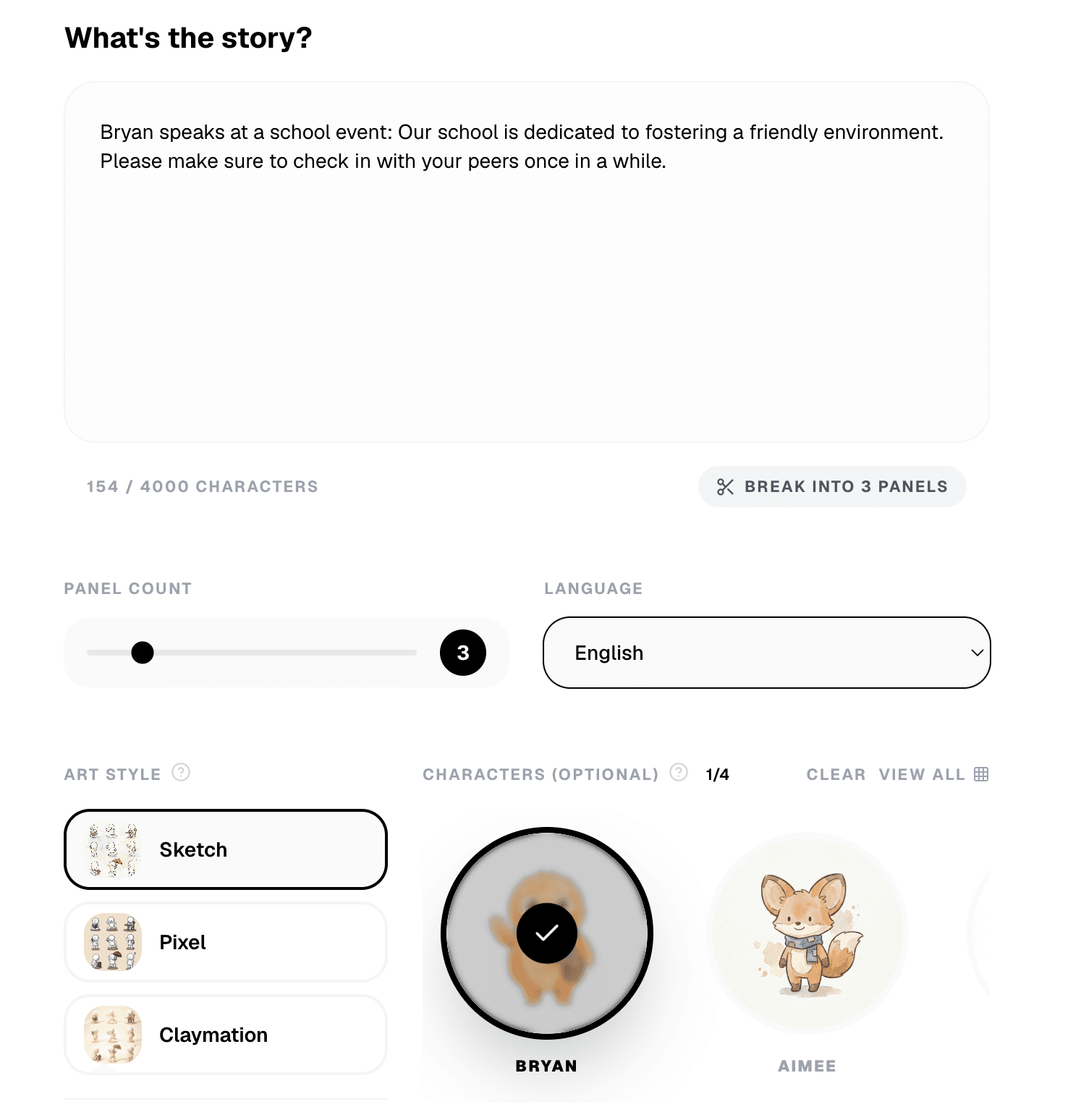
The Slycee Studio workflow has five stages: write your story on the Create page, run an optional AI story check for clarity, analyze into panels, refine the storyboard text, then generate and edit images in the Editor. You can export a ZIP of panels or share a public link when finished.
- Create — paste monologue or dialogue (up to 4,000 characters), pick 1–15 panels, art style, and language.
- Story check — review AI insights (unclear references, missing characters) before analysis.
- Analyze — the story splits into panel descriptions with dialogue and monologue.
- Storyboard — edit each panel’s scene, lines, and character list.
- Editor — generate images, regenerate individual panels, export or share.
Do I need drawing skills to use Slycee Studio?+
How many characters can I use in one comic?+
Can I fix one bad panel without regenerating everything?+
Is Slycee Studio the same as the Slycee mobile app?+
How much does it cost to generate a comic?+
Can I share comics publicly?+
What stories will you create?
Open Slycee Studio, write a short slice-of-life scene, and publish your first comic in minutes.
Slycee Studio →