अंतिम अपडेट: 31 मई, 2026
अपने किरदारों के साथ slice-of-life कॉमिक — बिना चित्र बनाए
8 min read
संक्षेप
Slycee Studio slice-of-life कॉमिक के लिए वेब टूल है: आप monologue या dialogue लिखते हैं, Character Bank से कस्टम किरदार assign करते हैं, storyboard पर हर पैनल refine करते हैं, फिर art generate करते हैं। ChatGPT या Gemini अकेले के मुकाबले यह पैनलों में किरदार और स्टाइल consistent रखता है और 18 भाषाएँ सपोर्ट करता है।
Slycee Studio क्या है?
Slycee Studio एक वेब-आधारित कॉमिक निर्माण प्लेटफ़ॉर्म है जो लिखी कहानियों — monologue, dialogue या mixed narration — को multi-panel slice-of-life कॉमिक में बदलता है। चित्र बनाना ज़रूरी नहीं। आप टेक्स्ट लिखते हैं, वैकल्पिक रूप से बैंक से किरदार attach करते हैं, AI storyboard review करते हैं, panel-by-panel scene और lines edit करते हैं, फिर एक-एक करके images generate करते हैं।
यह उन लोगों के लिए बना है जो काम पर communicate करते हैं: feature समझाने वाला marketing, scenario चलाने वाले lawyers, onboarding HR, customer story सुनाने वाले founders। Output छोटी comic strip जैसा पढ़ता है — manga battle scene या photorealistic poster नहीं।
Brands और रोज़मर्रा की कहानियों के लिए slice-of-life स्टाइल क्यों काम करता है?
Slice-of-life कॉमिक इसलिए काम करती हैं क्योंकि वे दिखाती हैं लोग वास्तव में कैसे बोलते हैं: कोई ज़ोर से सोच रहा है, रसोई में दो लोग, desk पर colleague कुछ explain कर रहा है। यह tone formal script से लिखना आसान है — और stock illustration या generic AI art से ज़्यादा भरोसा जगाता है।
ज़्यादातर business stories epic fantasy नहीं हैं। कोई problem notice करता है, सवाल पूछता है, tool try करता है, react करता है। Slycee Studio इसी format के लिए है। Internal notes, support reply या training anecdote paste कर सकते हैं — screenplay format में rewrite किए बिना।
Custom किरदार panel-to-panel consistent कैसे रहते हैं?
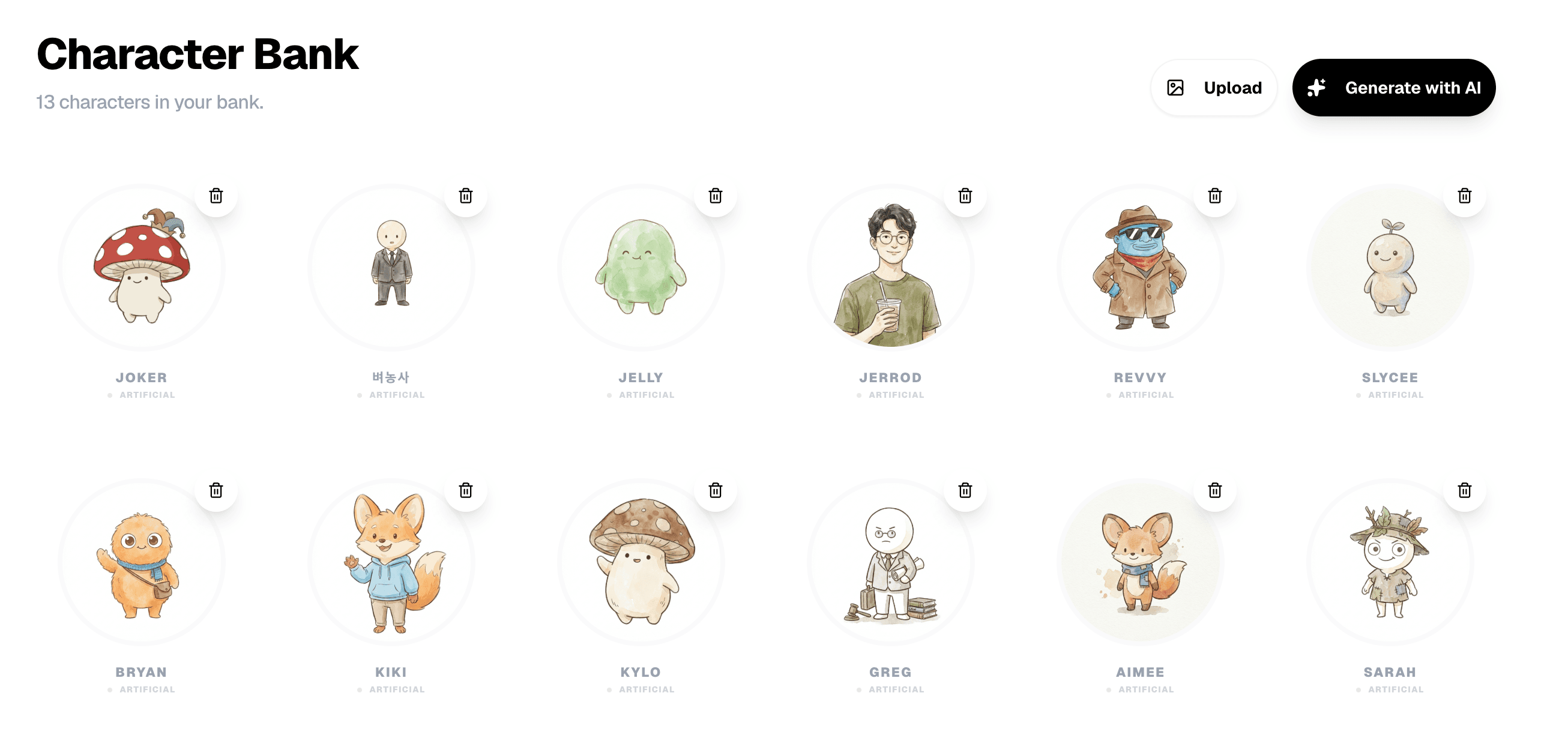
Slycee Studio किरदार Character Bank में store करता है — photo upload करें या AI से generate करें, नाम दें, दूसरी comics में reuse करें। Story के लिए चार तक किरदार select करने पर system reference images panel generation में भेजता है और chosen art style (Sketch, Pixel, Claymation या custom) में redraw करता है।
Story text में किरदार का नाम लिखें तो analyzer सही panels में रखने की कोशिश करता है। ChatGPT खोलकर «panel 3 of 8 with the same woman as before» कहने से अलग — chat thread में persistent visual memory नहीं होती।
AI analysis के बाद dialogue, monologue और scenes edit कर सकते हैं?
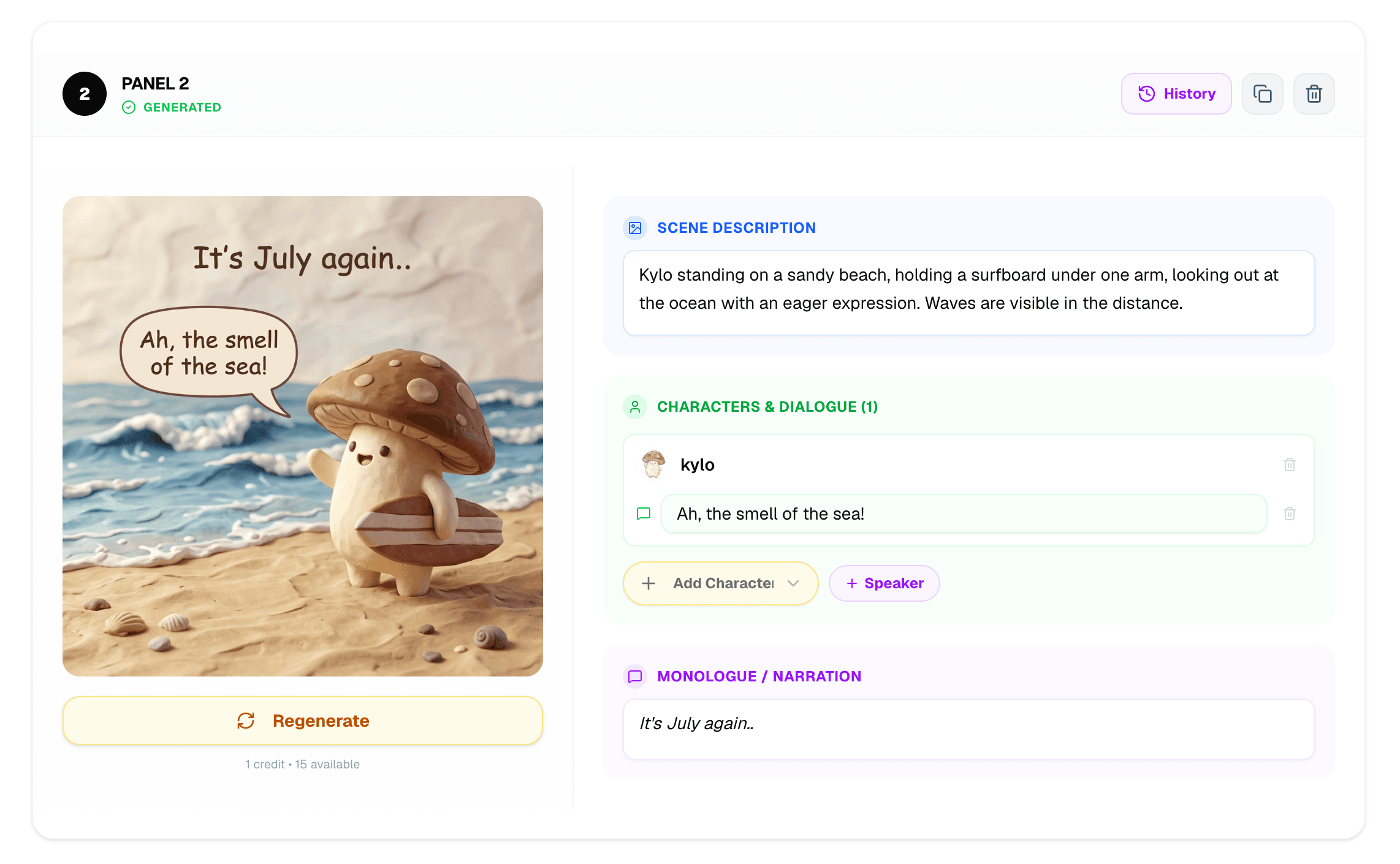
हाँ। Analysis के बाद Slycee Studio storyboard खोलता है जहाँ हर panel के scene description, dialogue और monologue fields हैं। Credits images पर खर्च करने से पहले lines rewrite या गलत पढ़ा नाम fix कर सकते हैं। Editor में एक panel regenerate करें — पूरी comic दोबारा नहीं।
Slycee Studio ChatGPT या Gemini direct use से कैसे अलग है?
ChatGPT और Gemini text और one-off images में strong हैं, लेकिन comic workflow नहीं देते: no Character Bank, no panel storyboard, no same story ID tied per-panel regeneration, no 1–15 panels art-style lock। Slycee Studio Gemini 2.5 Flash को sequential comics के structured pipeline में wrap करता है।
| क्षमता | Slycee Studio | ChatGPT / Gemini chat | Generic AI image apps |
|---|---|---|---|
| Persistent custom किरदार | Style blending वाला Character Bank | Cross-session visual memory नहीं | आमतौर पर एक image |
| Panel-by-panel storyboard | प्रति panel scene, dialogue, monologue edit | Text-only या ad-hoc prompts | Structured comic flow नहीं |
| Slice-of-life art direction | Sketch, Pixel, Claymation + custom | हर बार prompt पर depend | Style panel-to-panel drift |
| भाषाएँ | 18 UI + 18 comic languages | Prompt-dependent | Mostly English |
| लागत | 1 credit = 1 panel (expire नहीं) | Subscription / token | अलग-अलग |
Slycee Studio कौन-कौन सी भाषाएँ support करता है?
Slycee Studio 18 interface languages और 18 comic-generation languages support करता है: English, Korean, Spanish, Turkish, French, Portuguese, Japanese, German, Italian, Dutch, Russian, Polish, Arabic, Hindi, Chinese, Thai, Vietnamese, Indonesian। UI language और comic में किरदारों की भाषा create page पर separately configure होती है।
- English, 한국어, Español, Türkçe
- Français, Português, 日本語, Deutsch
- Italiano, Nederlands, Русский, Polski
- العربية, हिन्दी, 中文, ไทย
- Tiếng Việt, Bahasa Indonesia
Comic creation process कैसे काम करता है?
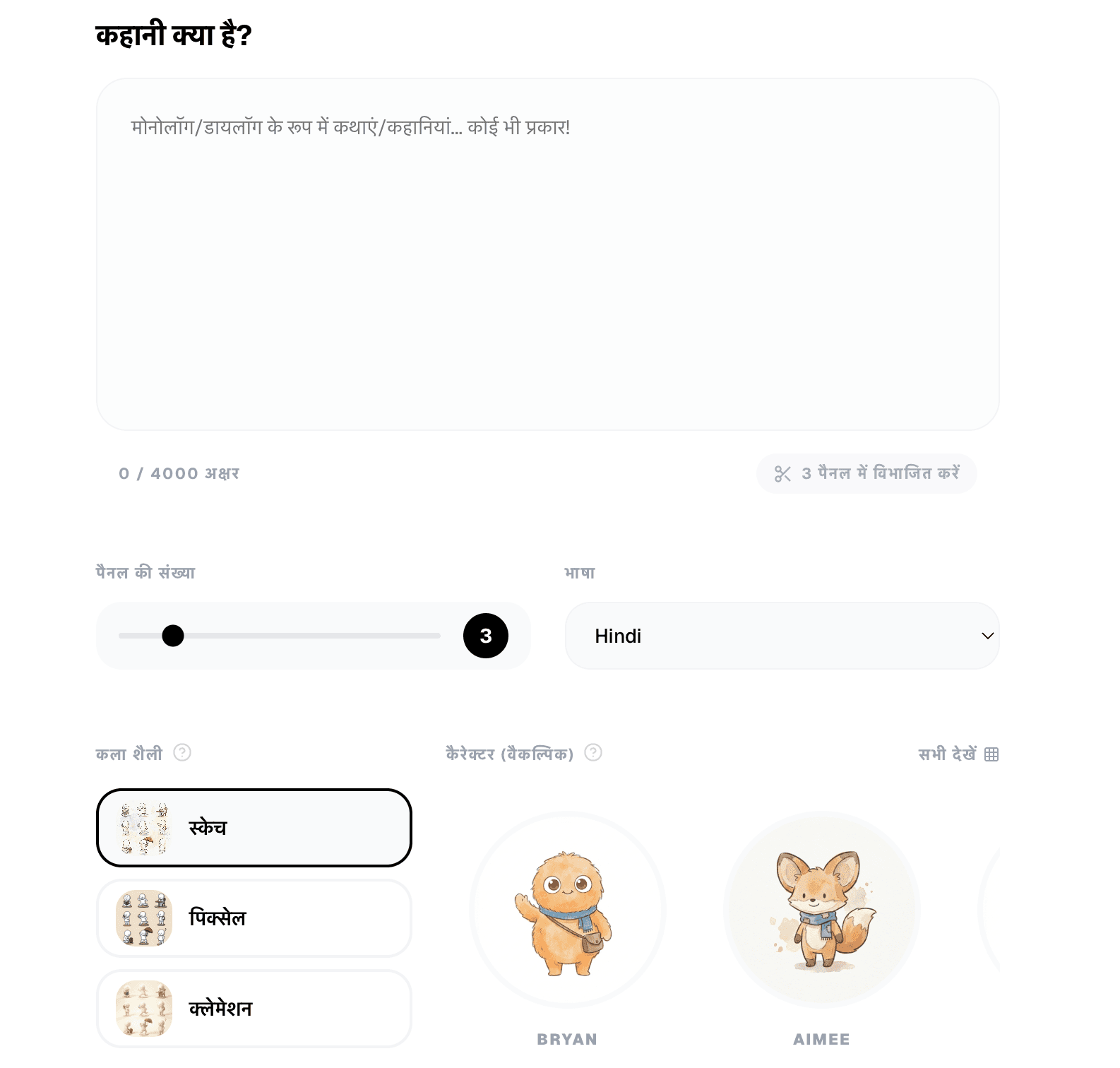
Slycee Studio workflow के पाँच stages हैं: Create page पर story लिखें, optional AI story check, panels में analyze, storyboard text refine, Editor में images generate और edit। Finish पर ZIP export या public link share।
- Create — monologue या dialogue paste (4,000 characters तक), 1–15 panels, art style, language चुनें।
- Story check — analyze से पहले AI insights (unclear references, missing characters) review।
- Analyze — story panel descriptions में split, dialogue और monologue के साथ।
- Storyboard — हर panel की scene, lines और character list edit।
- Editor — images generate, individual panels regenerate, export या share।
Slycee Studio के लिए drawing skills चाहिए?+
एक comic में कितने किरदार use कर सकते हैं?+
एक bad panel fix कर सकते हैं बिना सब regenerate किए?+
क्या Slycee Studio mobile Slycee app जैसा है?+
Comic generate करने की cost?+
Comics publicly share कर सकते हैं?+
आप कौन-सी कहानियाँ बनाएँगे?
Slycee Studio खोलें, छोटा slice-of-life scene लिखें, और minutes में अपनी पहली comic publish करें।
Slycee Studio →